Main Menu
collapse

Resources

Stud of Xavier Game

No Stud when we lose.
2025-26 Season SoG Tally
Ross5
James Jr3
Parham1

'24-25 * '23-24 * '22-23
'21-22 * '20-21 * '19-20
'18-19 * '17-18 * '16-17
'15-16 * '14-15 * '13-14
'12-13 * '11-12 * '10-11

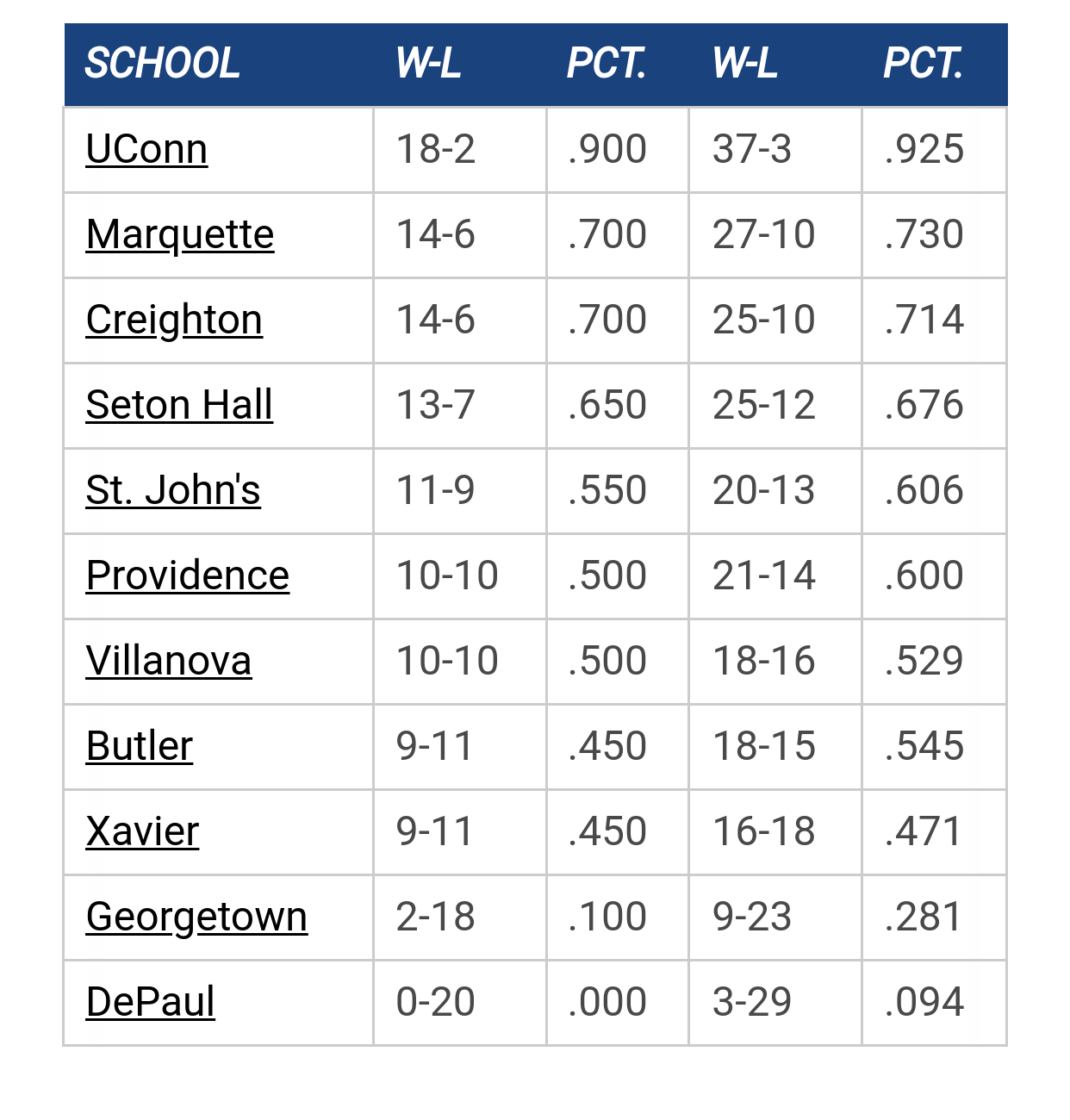
Big East Standings

Recent Posts

[Cracked Sidewalks] 1 in 14,000,605 by muwarrior69
[Today at 08:45:14 PM]


2025-26 College Hoops Thread by MuggsyB
[Today at 08:24:15 PM]


2026 Coaching Carousel by WhiteTrash
[Today at 08:12:48 PM]


2025-26 Big East Conference TV Schedule by Mr. Nielsen
[Today at 07:53:30 PM]


Really Good Day for the Future of Marquette Basketball by Pakuni
[Today at 07:30:03 PM]


That Hurt. A lot. by BM1090
[Today at 01:39:02 PM]


James/Stevens by Billy Hoyle
[Today at 01:01:54 PM]

Please Register - It's FREE!

The absolute only thing required for this FREE registration is a valid e-mail address. We keep all your information confidential and will NEVER give or sell it to anyone else.
Login to get rid of this box (and ads) , or signup NOW!

Next up:  St. John's

Marquette
88
Marquette vs
St. John's
Date/Time: Feb 18, 2026, 8:00pm
TV: TNT
Schedule for 2025-26
Xavier
96

MUCrew

Spent a little time to finally upload these to the wiki.

DJO Wallpaper

Marquette Team

Also added are some mobile wallpapers found towards the bottom of the Wiki:

MUScoop Wiki


mwbauer7

Awesome mobile wallpapers. Thanks!

mueron

For android users...how is it that you actually download the wallpaper to your phone? Nice work btw.

Lighthouse 84

will the mobile for the storm work on a BB 9700?  if not, can you create one for it?  thanks.
HILLTOP SENIOR SURVEY from 1984 Yearbook: 
Favorite Drinking Establishment:

1. The Avalanche.              7. Major Goolsby's.
2. The Gym.                      8. Park Avenue.
3. The Ardmore.                 9. Mugrack.
4. O'Donohues.                 10. Lighthouse.
5. O'Pagets.
6. Hagerty's.

Skatastrophy

Quote from: GoldenSox on January 02, 2010, 10:26:00 AM
For android users...how is it that you actually download the wallpaper to your phone? Nice work btw.

Browse to the pic.

Hold your finger down on the pic until the context menu comes up.

Depending on which context menu comes up either select "Save Image" and if that's not an option select "View Image."  If "view image" came up then repeat this step and select "save image" this time.

Saving should bring up your download manager.  Click the item you just downloaded on this screen to open it.

There should be an icon on the top of the screen displaying the image that says "set as."  Click "set as" and then select "wallpaper" from that context menu.

Previous topic - Next topic