collapse

Resources

25-26 SOTG Tally

2025-26 Season SoG Tally
Ross6
James Jr4
Parham1
Stevens1

'24-25 * '23-24 * '22-23
'21-22 * '20-21 * '19-20
'18-19 * '17-18 * '16-17
'15-16 * '14-15 * '13-14
'12-13 * '11-12 * '10-11

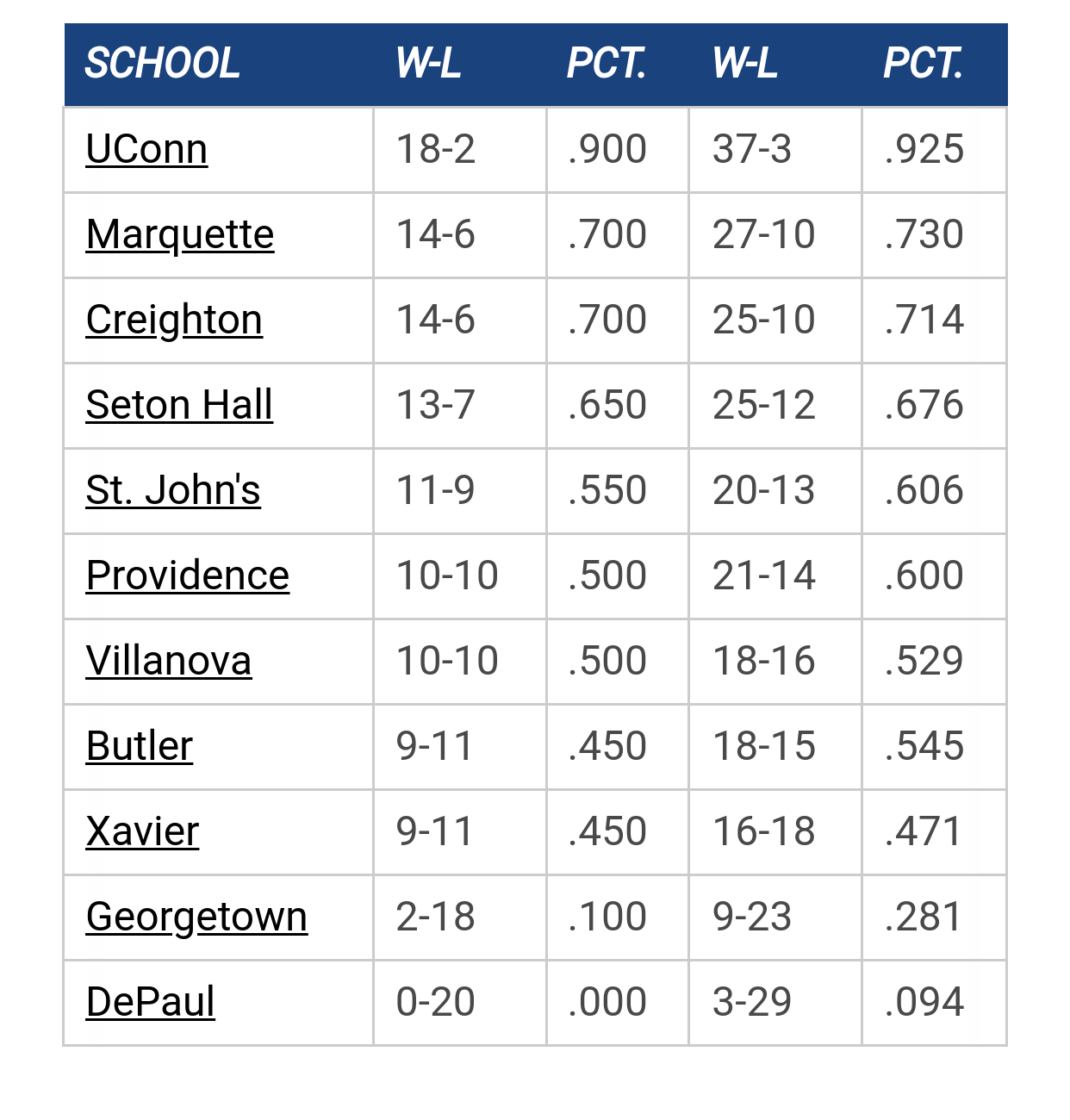
Big East Standings

Recent Posts

NOLAN Minessale Coming to MU by Pepe Sylvia
[Today at 05:58:29 PM]


2027 Bracketology by Uncle Rico
[Today at 03:17:51 PM]


Recruiting as of 6/15/26 by Juan Anderson's Mixtape
[Today at 02:07:20 PM]


Big East offseason news by Billy Hoyle
[Today at 08:48:08 AM]


NM by MarquetteMike1977
[Today at 01:35:29 AM]


Marquette Overload Redesign by TallTitan34
[August 19, 2026, 10:29:28 PM]


Judge Rules that Last Years Seniors Are Eligible for a 5th Year by Billy Hoyle
[August 19, 2026, 08:26:33 PM]

Please Register - It's FREE!

The absolute only thing required for this FREE registration is a valid e-mail address. We keep all your information confidential and will NEVER give or sell it to anyone else.
Login to get rid of this box (and ads) , or signup NOW!

Next up:  NA

Marquette
87
Marquette
Scrimmage
Date/Time: Oct 2026
TV: NA
Schedule for 2025-26
Xavier
89

MUCrew

Spent a little time to finally upload these to the wiki.

DJO Wallpaper

Marquette Team

Also added are some mobile wallpapers found towards the bottom of the Wiki:

MUScoop Wiki


mwbauer7

Awesome mobile wallpapers. Thanks!

mueron

For android users...how is it that you actually download the wallpaper to your phone? Nice work btw.

Lighthouse 84

will the mobile for the storm work on a BB 9700?  if not, can you create one for it?  thanks.
HILLTOP SENIOR SURVEY from 1984 Yearbook: 
Favorite Drinking Establishment:

1. The Avalanche.              7. Major Goolsby's.
2. The Gym.                      8. Park Avenue.
3. The Ardmore.                 9. Mugrack.
4. O'Donohues.                 10. Lighthouse.
5. O'Pagets.
6. Hagerty's.

Skatastrophy

Quote from: GoldenSox on January 02, 2010, 10:26:00 AM
For android users...how is it that you actually download the wallpaper to your phone? Nice work btw.

Browse to the pic.

Hold your finger down on the pic until the context menu comes up.

Depending on which context menu comes up either select "Save Image" and if that's not an option select "View Image."  If "view image" came up then repeat this step and select "save image" this time.

Saving should bring up your download manager.  Click the item you just downloaded on this screen to open it.

There should be an icon on the top of the screen displaying the image that says "set as."  Click "set as" and then select "wallpaper" from that context menu.

Previous topic - Next topic