collapse

Resources

Stud of Creighton Game

No Stud when we lose.
2025-26 Season SoG Tally
Ross4
James Jr1

'24-25 * '23-24 * '22-23
'21-22 * '20-21 * '19-20
'18-19 * '17-18 * '16-17
'15-16 * '14-15 * '13-14
'12-13 * '11-12 * '10-11

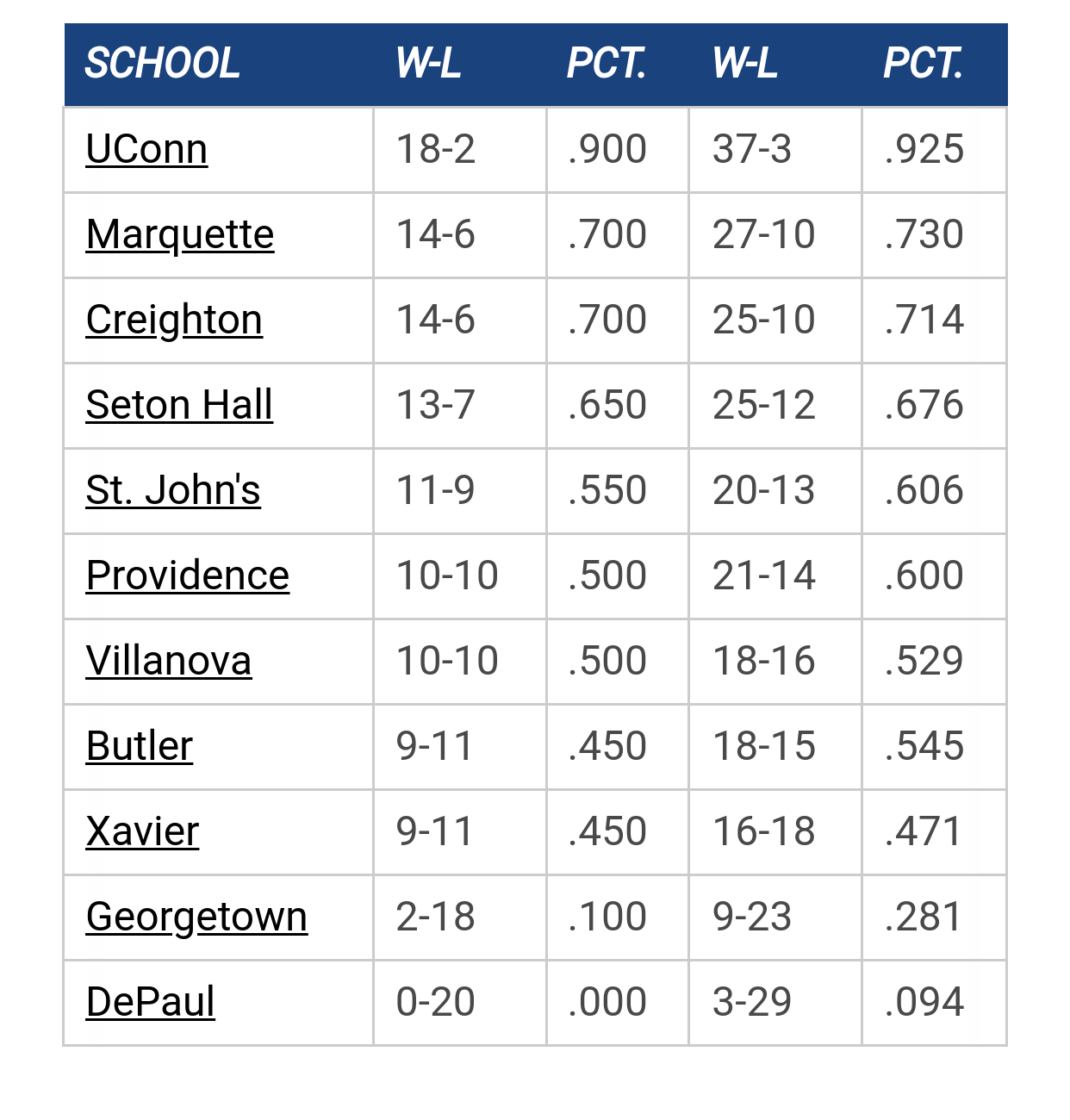
Big East Standings

Recent Posts

The Altercation by connie
[Today at 08:11:42 AM]


Zaide Didn’t Travel With Team by dpucane
[Today at 07:08:55 AM]


2026 Transfer Portal Wishlist by GoldenEagles03
[Today at 01:19:26 AM]


What would make you show Shaka the door in March? by Zog from Margo
[December 28, 2025, 11:15:17 PM]

Please Register - It's FREE!

The absolute only thing required for this FREE registration is a valid e-mail address. We keep all your information confidential and will NEVER give or sell it to anyone else.
Login to get rid of this box (and ads) , or signup NOW!

Next up: Seton Hall

Marquette
63
Marquette vs
Seton Hall
Date/Time: Dec 30, 2025, 6:00pm
TV: FS1
Schedule for 2025-26
Creighton
84

KipsBayEagle

When your typing a long post, and the post starts to almost re center at a certain point, almost making it impossible to fix errors at the bottom of your message?  If so, how do u fix it/ can you?

StillAWarrior

Quote from: KipsBayEagle on April 12, 2010, 10:26:35 AM
When your typing a long post, and the post starts to almost re center at a certain point, almost making it impossible to fix errors at the bottom of your message?  If so, how do u fix it/ can you?

Yes, I've had that problem.  I've always viewed it as their gentle way of telling me, "nobody really wants to read that much from you."  So, to fix the problem, I try to keep my posts short.
Never wrestle with a pig.  You both get dirty, and the pig likes it.

mu_hilltopper

Never seen that before .. what browser are you using?  What happens if you hit "preview" .. does it fix your problem?

KipsBayEagle

Nope preview doesn't.  Using Internet explorer

VegasWarrior77

"Two things are infinite: the universe and human stupidity; and I'm not sure about the universe." Albert Einstein

MarquetteDano

I have had this occur from time to time as well.  Though it doesn't appear to happen much anymore.

Maybe I am sparing all of you and just writing shorter posts!   :-[

chapman

Had that problem with IE.  Don't use IE anymore.  Works fine with Firefox and Chrome.

TallTitan34

While I've never had that problem on the forums, I get it alot while editing the wiki. 

I get it occasionally using Firefox and more frequently using IE.

Previous topic - Next topic